macOS
Installation guide.
What you need first.
- An academic email address. Noolio is currently open to academic users only, so sign-up requires a .edu, .ac.in, or equivalent institutional address.
- Stata 17 or newer, installed and licensed on your machine.
- python3. Most Macs already have it. If Noolio asks for it on first launch, download it free from python.org.
Open the downloaded file
After it finishes downloading, click the .dmg file in your browser's download bar to open it.
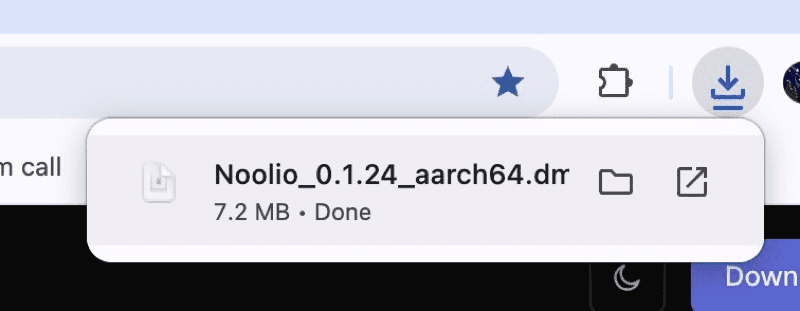
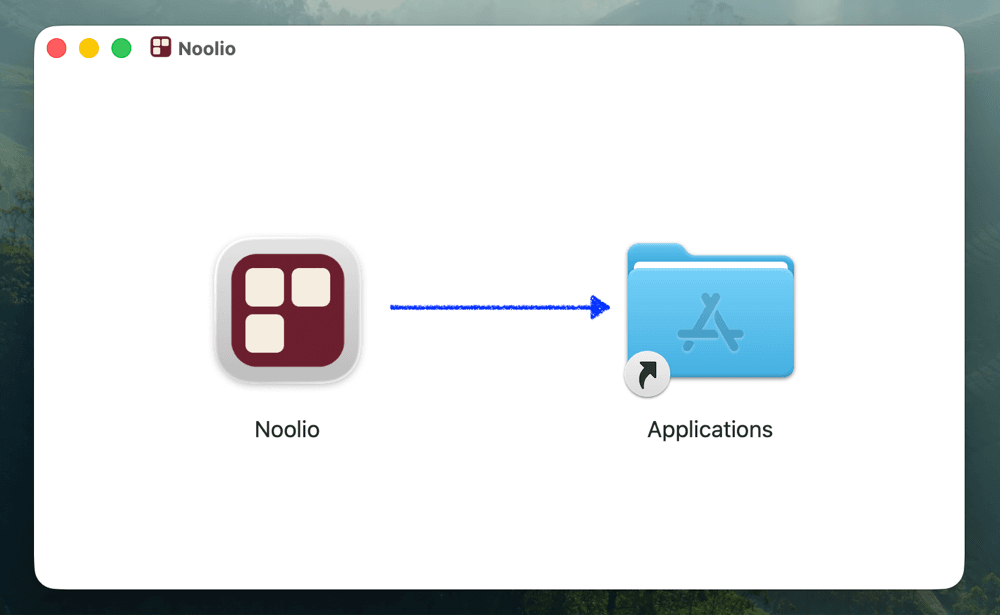
Drag Noolio into Applications
Drag the Noolio icon into the Applications folder shown in the same window.
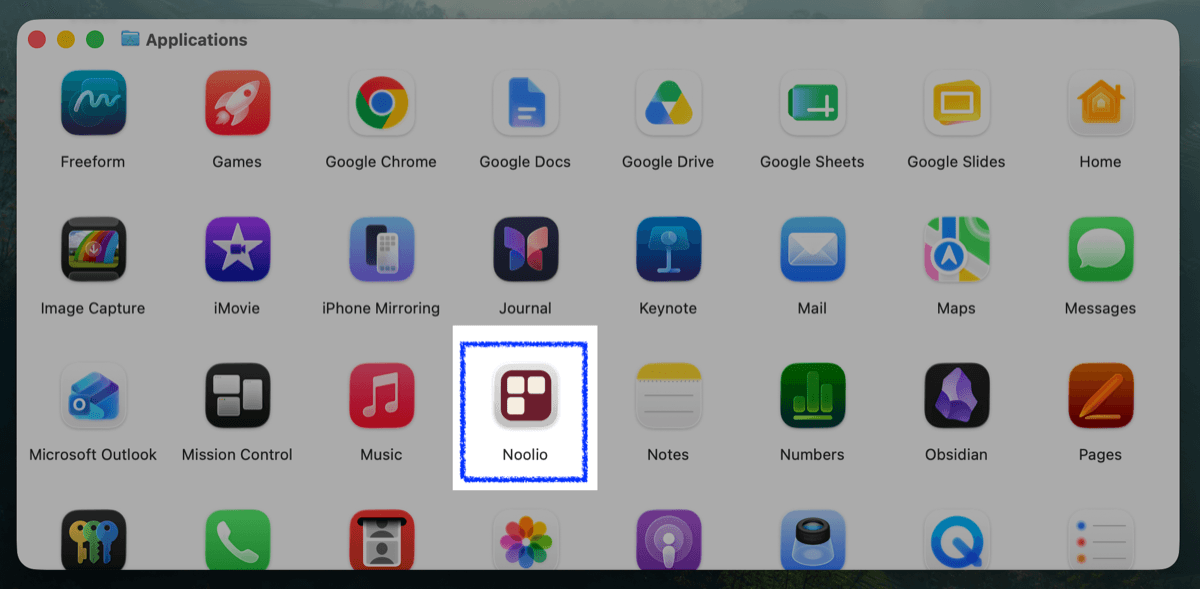
Open Noolio from Applications
Open your Applications folder and double-click Noolio.
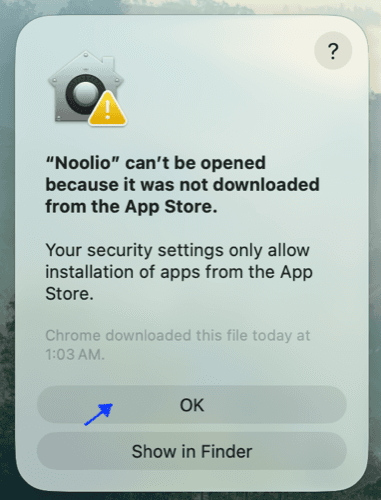
Approve the security warning
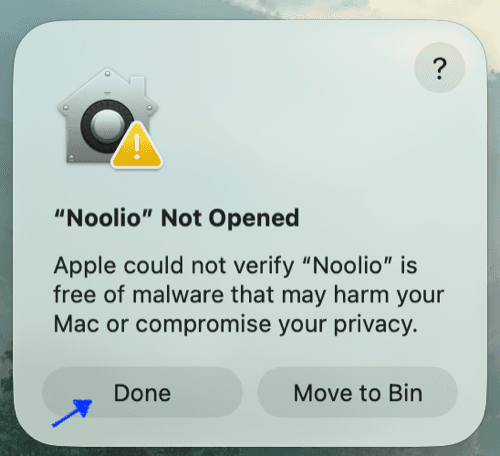
macOS blocks apps that aren't from the App Store by default, so you'll likely see one of the dialogs below. Click through it (OK or Done, whichever one appears). Just don't click “Move to Bin.”
Still blocked? Allow it in Settings
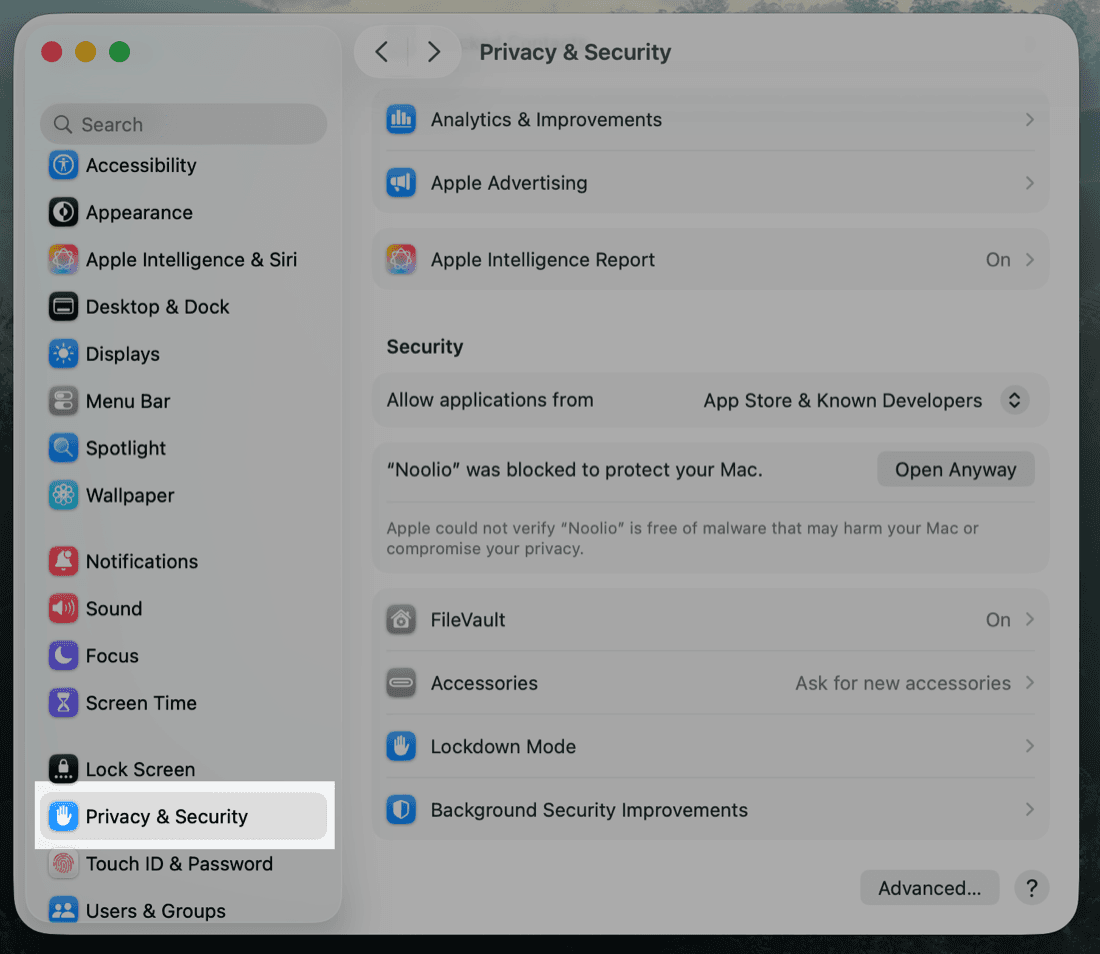
If none of those worked, open System Settings, go to Privacy & Security, scroll down to Security.
Allow it and open anyway
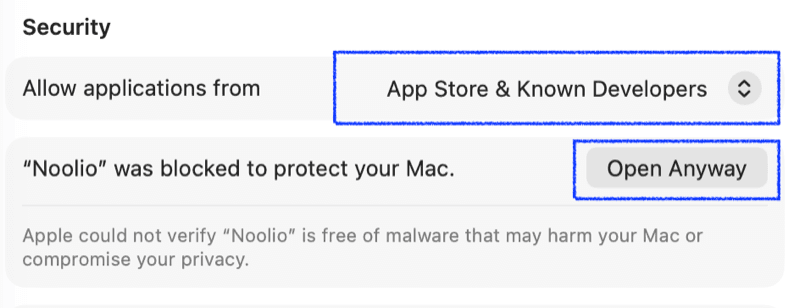
Make sure you've chosen “Allow applications from App Store & Known Developers,” then click Open Anyway.
Confirm you want to open it
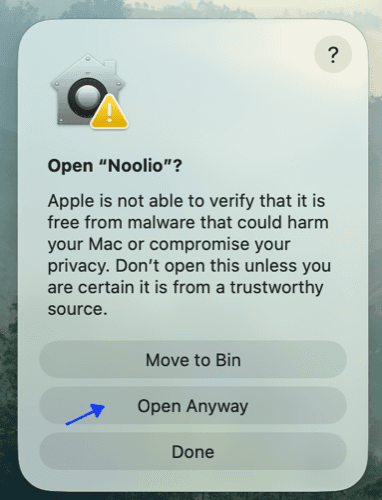
macOS asks you to confirm once more. Click Open Anyway.
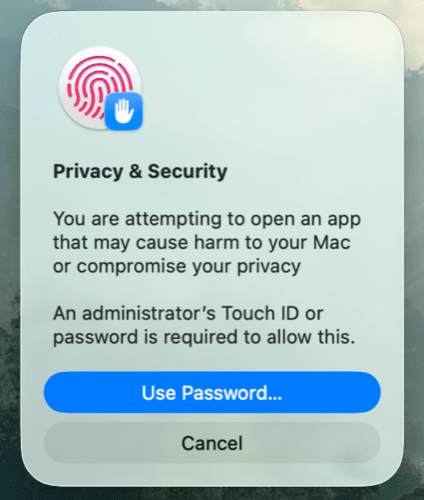
Confirm with your password or Touch ID
Confirm with your Mac password or Touch ID when prompted, and Noolio will open.
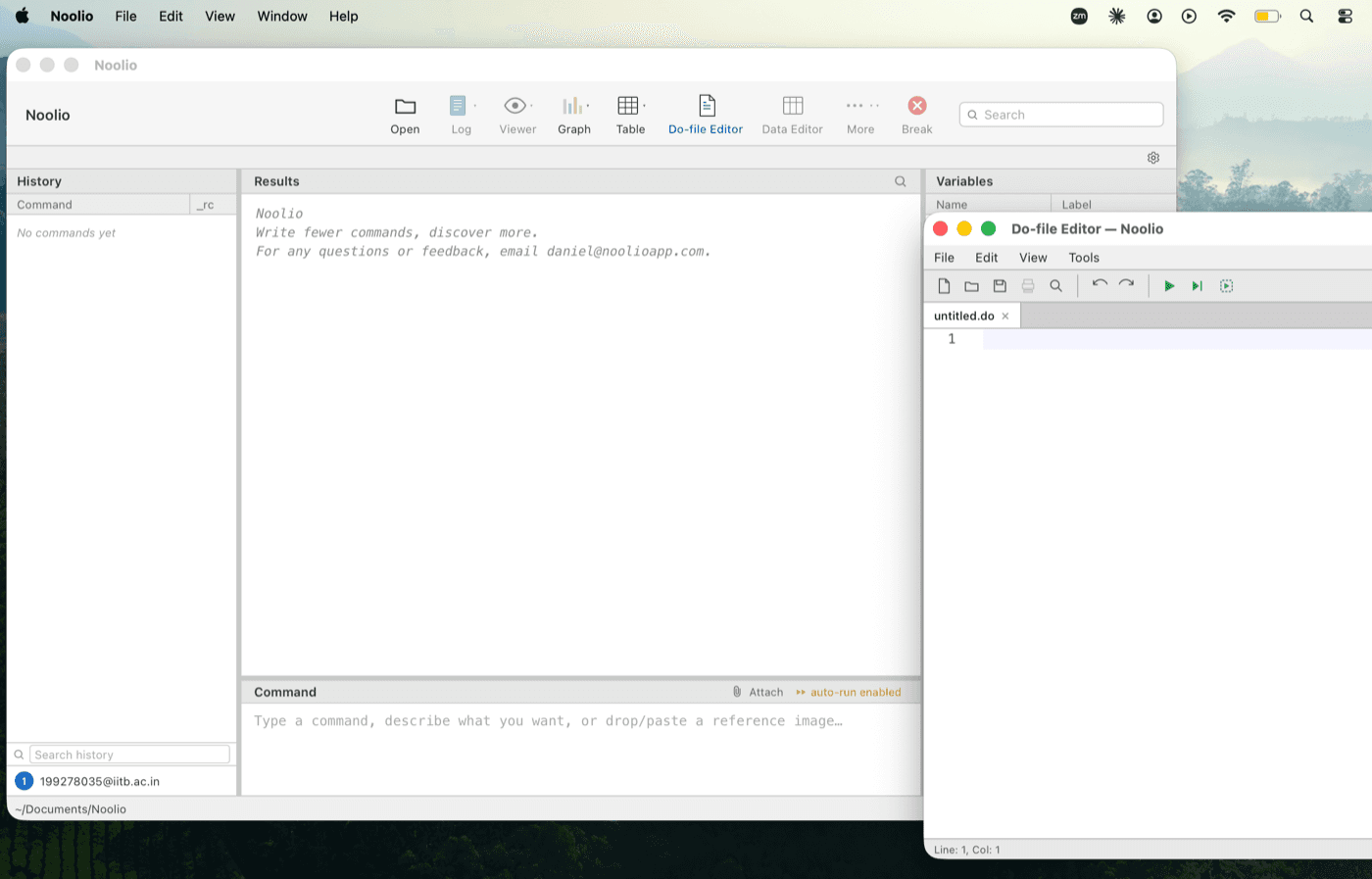
You're all set
Noolio is ready to use inside Stata. You only have to do the security step once.
Still stuck? Write to us at info@noolioapp.com